

New / Easy
Amazon Appstore
Download BearWave comfortably and securely directly from the Amazon Appstore. Ideal for Android smartphones and Fire OS tablets.
We built a dedicated Android version so you can take BearWave with you. Fast, simple, and optimized for touch.
Active development of the Android version is currently paused. The app remains fully functional and available to download in its current, stable state, but will not receive new features for now.
Latest Release
BearWave for Linux desktops lives on the main site.
Features
Core capabilities for on-the-go radio with Android Auto, Cast, and fast station access.
Full dashboard integration. Browse stations, favorites, and control playback directly from your car.
Stream your favorite stations losslessly to any Chromecast-enabled smart speaker.
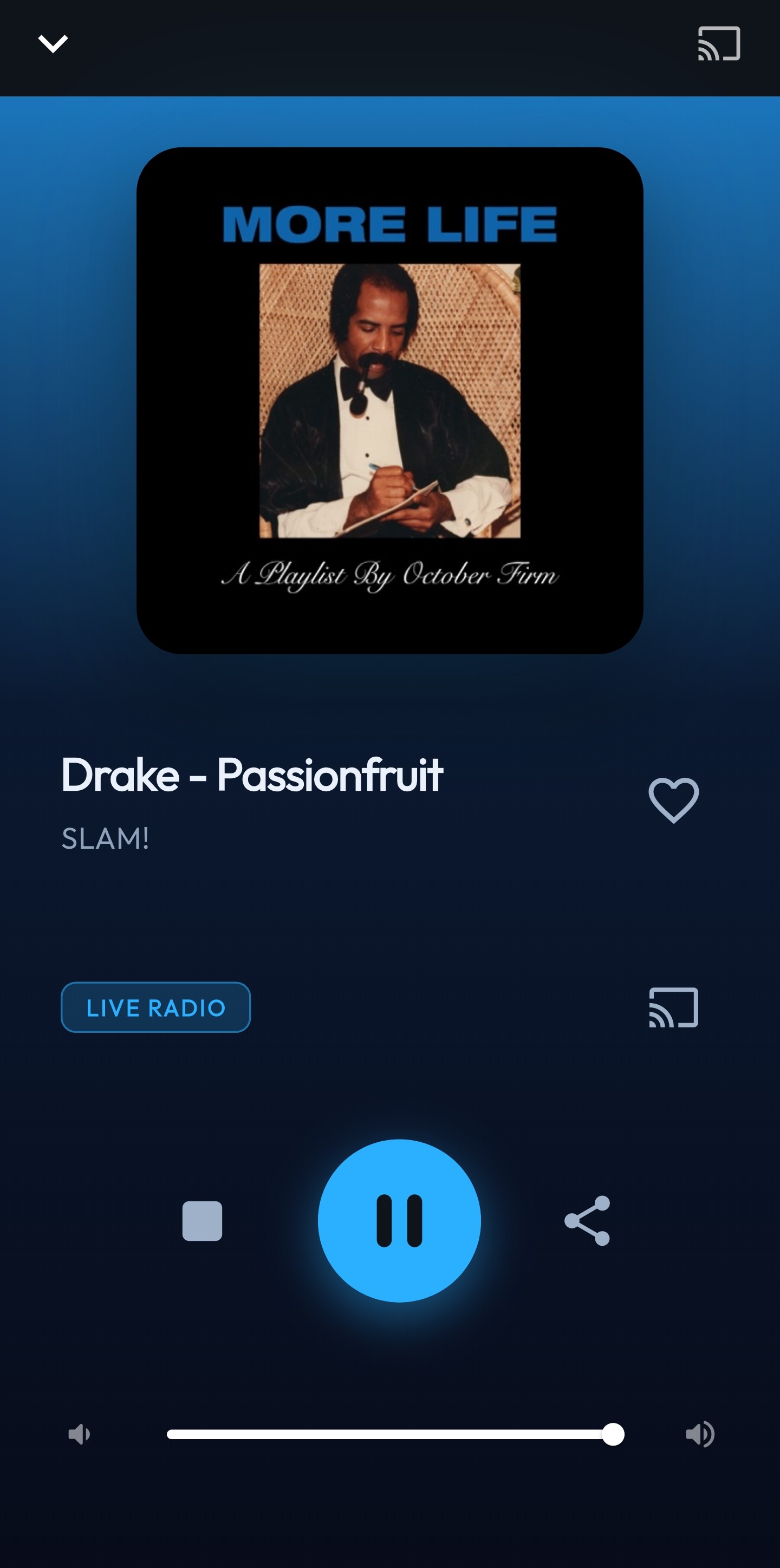
A beautiful, reactive UI that seamlessly adapts to modern dark themes.
Screenshots
Technologies
BearWave Mobile uses Flutter, Android Auto, and Google Cast for a seamless mobile experience.
Install
BearWave for Android is now conveniently available on the Amazon Appstore! Alternatively, you can download the APK from the official repository or install it via Obtainium.
New / Easy
Download BearWave comfortably and securely directly from the Amazon Appstore. Ideal for Android smartphones and Fire OS tablets.
Manual
Download the latest BearWave APK directly from the official BearWave repository and install it in a few simple steps on your smartphone.
Latest Release
Download the APK
Tap the 'Download APK' button above to get the installation file directly on your device. It's easiest to do this right from your smartphone's browser.
Allow installation from this source
On first install, Android asks whether your browser or file manager may install apps — confirm that. If needed: Settings → Apps → Special app access → Install unknown apps → enable the app you used.
Install the APK
Open the downloaded file from your Downloads folder or notification shade and tap Install. Confirm when Android prompts you.
Launch the app
After installation, find BearWave in your app drawer. On first launch, Android may request media player permissions — these are required for streams and background playback.
FOSS App
Obtainium installs BearWave directly from the official BearWave repository and keeps the app up to date automatically. Open Obtainium, tap on Add App, paste the repository link, and confirm the process.
💡 Set it up once. Obtainium will detect new versions automatically after that.
https://github.com/spalencsar/bearwave-androidSource code
Clone the repository and build the app locally with the Flutter SDK.
Open repositorygit clone https://github.com/spalencsar/bearwave-android.git
cd bearwave-android
flutter pub get
flutter runBearWave Mobile is licensed under the GPLv3. No ads, no tracking, no mandatory accounts. The entire source code is available on GitHub and GitLab.
SharedPreferences.Temporary files like station logos or cached album art are stored in Android's standard cache directory, which the system may clean up automatically when needed.
There is no tracking, no analytics services (such as Firebase Analytics), and no ad SDKs. All data stays 100% local on your device.
BearWave only requests the permissions a media player actually needs — nothing more.
INTERNET
Fetches radio streams and station logos, and powers search via the Radio Browser API.
ACCESS_NETWORK_STATE
ACCESS_WIFI_STATE
Checks whether an internet connection is available and discovers Chromecast/Google Cast devices on the same Wi-Fi network.
CHANGE_WIFI_MULTICAST_STATE
Required for Google Cast discovery to find devices on your network.
FOREGROUND_SERVICE
FOREGROUND_SERVICE_MEDIA_PLAYBACK
Allows stable background audio playback when the screen is locked or you switch to another app.
WAKE_LOCK
Prevents the CPU from entering deep sleep during playback and dropping the stream.
Updates
Provider Information (Section 5 DDG)
Sebastian Palencsar
Senior Infrastructure Architect
c/o Block Services
Stuttgarter Str. 106
70736 Fellbach
Germany
Contact
Email Security
For email communication, I use Fastmail, hosted on EU servers in Amsterdam. The service provides high standards of data security and privacy with end-to-end transport encryption:
End-to-End Encryption (OpenPGP)
For confidential communication, you can encrypt emails using my public OpenPGP key.
Trust & Transparency
This information is provided to meet legal provider identification requirements. For legal matters, please contact directly.
Copyright & Design
© 2026 Sebastian Palencsár. All rights reserved. This website is a project landing page for the BearWave desktop application.
All content, works, website design, and graphical elements created by me are protected by German copyright law. Reproduction or use of these elements without explicit permission of the author is not permitted.
Data Protection
This website is a pure online portfolio and does not collect personal data for analysis. No tracking tools are used.
No external CDN services are embedded and no profiling is performed.
A temporary PHP session may be used for the contact form. PHPSESSID This is used exclusively to protect against abuse and is not stored permanently. The webserver does not process user data. access_log off Error logs are only created for critical system errors, without permanently storing IP addresses.
Disclaimer
The content of these pages has been created with great care. However, no guarantee can be given for correctness, completeness, and timeliness.
Operators of external websites are solely responsible for their content.
Used Frameworks & Tools
This website uses the following frameworks and libraries among others:
These tools are used according to their respective license terms.
External Links
This website contains links to external third-party websites. These links are marked as such.
I have no influence on the content of these linked websites. The respective provider or operator of the linked pages is always responsible for their content.